There are TVs at my school that have been off for as long as I’ve been a student there. Two in the cafeteria, one by the office (i think), one in the library. They’re mounted on the walls like they’re supposed to be doing something, and they just kinda aren’t. They are pretty much just decoration.
I first asked about them in eighth grade when I was doing yearbook. The middle school had the same setup: matching TVs in the cafeteria, the office, a hallway. We asked to use them for yearbook and were told: “They don’t work.”
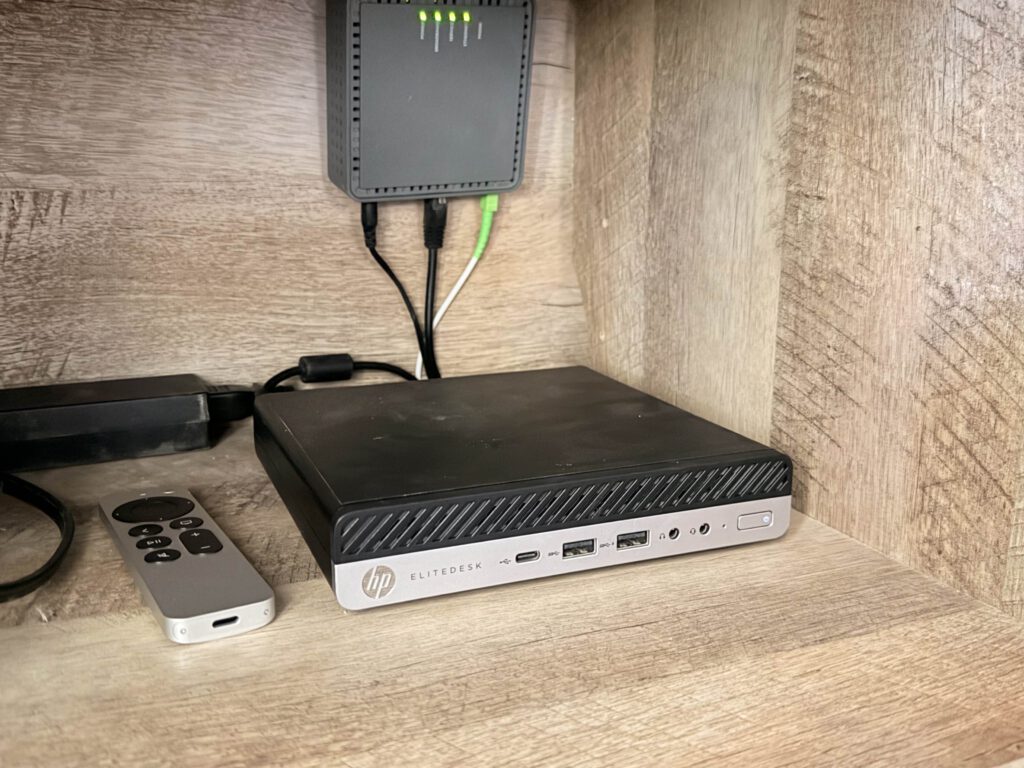
That was it? Yea okay, no way that was the whole answer. Nobody told us what didn’t work. Were the TVs broken? The computers behind them? Was the software just old? (spoiler: yes, it was) Did somebody lose the password in 2017 and just gave up using them? I still don’t fully know. The signage computers behind them (they’re Acer Veriton N4620Gs from around 2012) were running Windows 7, and the whole system simply aged out while nobody was watching. As far as I know, nobody at the school had seen these things run in years. I certainly hadn’t; until recently.
On Monday, four of those TVs are turning back on. Here’s how that happened.
To the library
Before winter break last year, the Weekly Wildcat staff (our school newspaper) had a planning meeting about outreach. How do we get people to actually read our articles? How do we reach students who never visit the website? Somebody brought up the dead TVs, and I just began planning it.
But the first idea wasn’t “build a signage platform.” It was way smaller. students (me included) kept walking to the library during lunch only to find out it was closed, or already at capacity. There was no way to know before you got there. So I prototyped a little status site. It shows open, at capacity, or closed, plus an optional message and a history of updates. The librarian marks it open, and eventually the ID-scanning system can flip it to “at capacity” automatically when the room fills up.
simple. all we needed was a way to put that website on a TV (and show our newspaper articles) problem solved.
Looking for something that didn’t exist
I looked at the obvious options, and to be fair to all of them, none of them are inherently bad. They just didn’t fit.
Yodeck has a permanent free plan… for exactly one screen. if you add more, every screen needs a paid plan, which currently costs around $8/screen/month. We needed at least three screens, and our software budget is a very round number: $0. So $24/month forever was a no.
Xibo looked promising because you can self-host the CMS and a lot of it is open source. But the Android player is a paid, per-device license if you self-host, and the Linux player has been “in development” with no release date, so that was also a no-go.
AbleSign was the one that actually worked. No per-screen fees, supports Fire TV and Android TV, playlists, schedules, websites, offline media. An actual, genuinely free option, and it’s what we used at first.
Tilecast exists because I have a problem where I keep wanting one more thing. AbleSign could show the website. Great. But then I wanted a custom integration with our Weekly Wildcat stuff. Then custom recovery behavior when a player crashes. Then control over the data model, and how scheduling works, and proof that a screen is actually showing what I think it’s showing. somewhere around the fifth “it would be nice if it could also…” the conclusion became obvious: we just need to build this ourselves. I scrapped the “which app for what thing” Google doc I had made, and began working on a custom app.
a pageant disaster
Before I explain what Tilecast is, I need to tell you about the night that shaped basically its entire design philosophy.
In March, I did production for the middle school pageant at the middle school. As part of the setup, I turned on the front-right cafeteria TV, which was the first time I’d ever personally seen one of these “broken” TVs powered on. It worked fine, which was both exciting and kind of frustrating knowing they did work. I hooked up a Fire TV running AbleSign to show the Miss EMS logo and a bit info about each performer.
I’ve written about the whole event on this blog before (The Tech Behind Miss EMS Pageant 2026), but the short version of the signage part: the Fire TV was on the school network instead of our show Wi-Fi, and the school network gave out on us during the pageant. I’d actually anticipated network weirdness and set up an ADB workaround that would reboot the Fire TV if things went wrong. And it worked!
The problem? AbleSign never relaunched once it restarted.
I still don’t really know why. Maybe Amazon changed something about auto-launch behavior. What I do know is that the TV landed on the Fire TV home screen, which autoplays video ads. So in the middle of a school pageant, on the big screen, the audience got about an hour of streaming ads, including one for Heated Rivalry, on loop.
Perfect!
I had no idea. I was at the production desk and behind the stage, my phone was mounted as part of our multicam setup (which also failed, funnily enough), and my mom, who could see the screen from the audience, was frantically texting a phone I didn’t even have with me. Her phone was also on a tripod recording, so she was literally borrowing phones from strangers in the audience trying to reach me. I didn’t find out until intermission, at which point the only fix I knew of was turning the TV off.
that night taught me the most important lesson in this whole project: there’s a huge difference between “something is assigned to the screen” and “the audience is actually seeing it.” The device was on, the app was installed, the web server we had pulled up on one of our MacBooks thought everything was fine. And the screen was playing ads for an hour.
So, Tilecast
Tilecast is an open-source, self-hosted digital signage platform. Go server, React/TypeScript dashboard, PostgreSQL, and a native Android player for Fire TV, Google TV, and Android TV. There’s also an Electron port of that same player for regular Linux computers, which is basically why this whole rollout ended up happening the way it did. It’s AGPLv3, it’s on GitHub, and it’s built for exactly the situation my school is in: you already own TVs, you have no recurring budget, and you need more than one screen.
The tagline is “Open signage, built to stay on,” and after the pageant, “built to stay on” is not marketing nonsense. A ridiculous amount of the project is about failure:
- Offline caching. each item gets checked against its size and SHA-256 before the player uses it. if any item in a new content set fails, the set doesn’t activate and the player keeps running the current one. the swap is atomic, all items flip together or none do. on boot it loads from local cache before contacting the server, so a screen coming back from a power cut is playing within a few seconds instead of waiting on the network.
- Boot recovery and a watchdog. when playback breaks the player steps through fixes in order: retry the item, skip the item, rebuild the renderer, restart the app, restart the process. if none of that works it drops into a safe mode that stops playback but keeps pairing and health reporting running, so it reports itself as broken instead of sitting in a restart loop.
- Health checks. a live playback session doesn’t tell you the screen is fine, it can be frozen on one frame or fully black with the session still up. so health is based on forward progress instead: video frames incrementing, playlist items transitioning on schedule, the render loop ticking. if those stop moving the player treats itself as dead. however, right now, there are still some issues with heartbeats on Linux (custom display resolutions mess it up)
- Proof of play. the player logs what it actually rendered, not what it was scheduled to render, and queues those events locally so it keeps logging with no network. it flushes the backlog to the server on reconnect. the schedule is intent, the proof-of-play log is the record.
- Never landing on the launcher. no Fire TV home screen, no Google TV launcher, no autoplaying ads at lunch (or at a pageant, for that matter). if the app crashes it relaunches back into the app instead of the OS launcher.
There’s also all the normal signage CMS stuff you’d expect: multi-zone layouts, playlists, schedules that handle timezones right, a media library, and widgets like clocks, tickers, menu boards, weather, and QR codes. data sources are kept separate from presentation too, so one CSV of lunch menus can show up as a plain list on one screen and a full menu board on another without me having to enter it twice.
then there’s synchronization groups, which i needed because the two cafeteria TVs face each other. because even if i assign the same playlist to two screen they aren’t actually in sync, and when two screens are side by side even a little bit of drift looks broken (and distracting). so synced screens share a playback epoch and compute the same item and offset from it, which means they line up even after one reconnects late and has to catch up. (it can speed up/slow down playback if the gap is under 250ms)
Things that fought back
Some highlights from the bug graveyard:
- Over-the-air player updates, which I assumed would be a weekend of work, turned into the single most time-consuming part of the project. A proper unattended update has to verify a signed manifest, verify the checksum, verify the APK signature, preserve credentials and pairing, get Android to actually allow the install, relaunch, and confirm the new version reconnects. And “success” isn’t real until that last step happens.
- The dashboard ui and the server got into a fight over whether 4:00 PM is
16:00or16:00:00. - A crossfade feature I added to make transitions look nice introduced a long flash during the crossfade, which is a very funny way for a polish feature to fail.
turns out i didn’t need the fire sticks
going into this week, the plan was still to run the screens using android players. i had two fire sticks and one chromecast with google tv, which is enough for three screens, cafeteria left, cafeteria right, and the office. the library was just gonna have to wait.
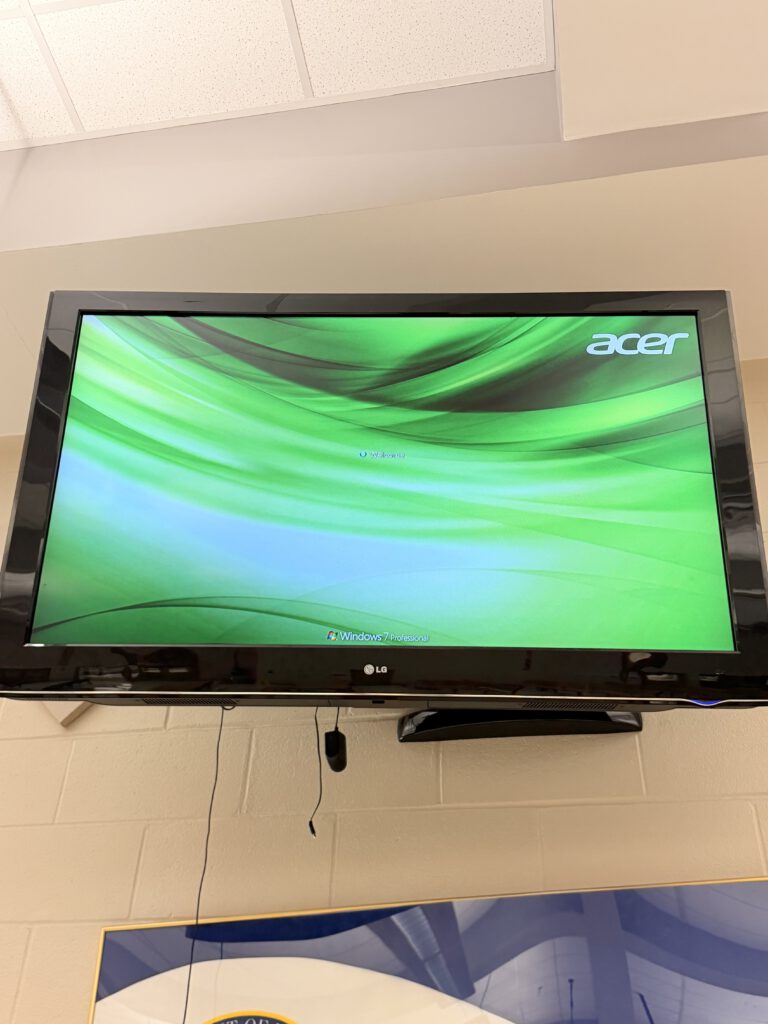
then i actually opened the back of one of the TVs and there it was. the acer veriton, still plugged in, still running windows 7 professional. looked like nobody had touched it since like 2013 or 2014. this whole time everyone thought the TV was the broken part, and it was actually just sitting there behind it doing nothing for over a decade.
So that changed the plan pretty quick. i don’t have four fire sticks but i do have four mini PCs already mounted behind the TVs with power already run to them, so why would i go buy more hardware. instead of three screens with the library “next,” it just turned into all four today.
I had actually made a rough Electron version of the Tilecast player a few days ago, just in case, wasn’t really planning on using it for anything yet. good thing i did because i spent today adding stuff to it on the fly while also trying to get four TVs working by tonight.
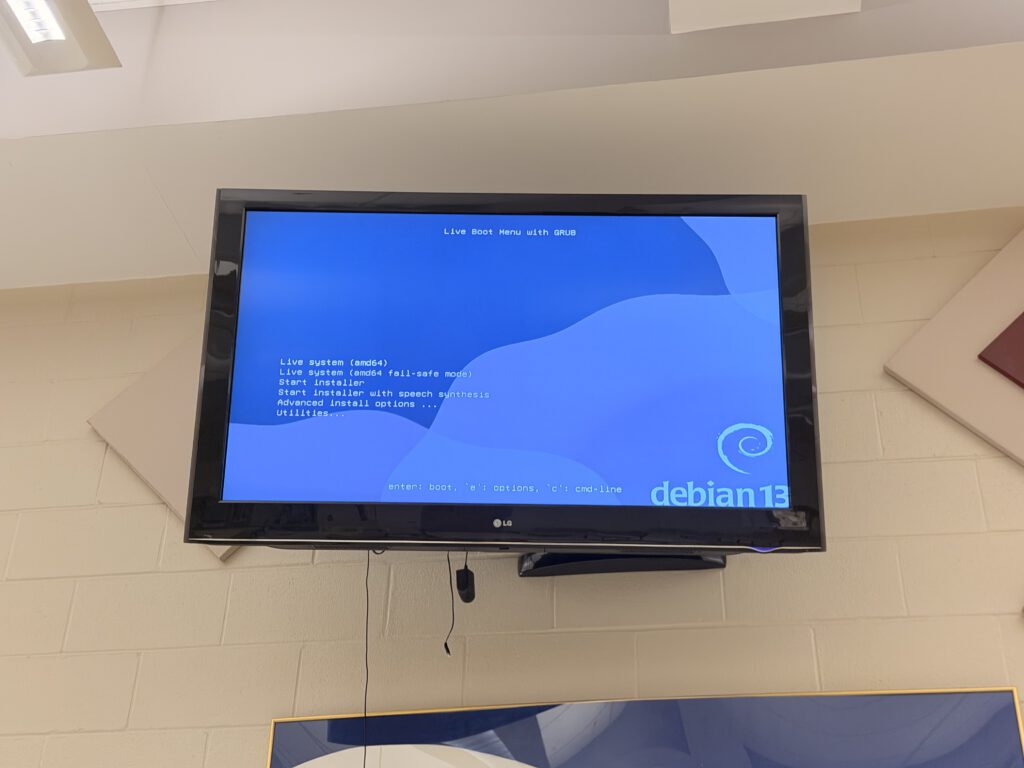
On the old mini PCs, I wiped windows 7 and put Debian Trixie on fresh. this is also where i got stuck for a while. the installer defaults to the new uefi boot method and it just wouldn’t boot on hardware this old. I had to redo the whole install using the non uefi option instead, took me a minute to even figure out that was the problem, because the boot loader doesn’t make it obvious.
Once debian was on i set both boxes up to boot straight into the player with no login screen, one account that auto logs in and just runs Tilecast fullscreen, and a separate account i can actually SSH into to fix stuff without messing with what’s on screen. also turned off sleep and screen blanking completely, because a signage box that falls asleep is just a broken TV again.
deploying is simple at least. i build the player on my laptop and copy it over to each mini pc. updating later just means sending a new file over, nothing else has to change. Once I update the Linux firmware to support OTA updates, the players will just be able to auto-update using an image on the server
Monday
All four screens go up July 20, for Meet the Teacher, with the first day of school two days later: cafeteria left, cafeteria right, the main entrance by the office, and the library. Lunch menus, announcements, events, the library status during lunch, and eventually Weekly Wildcat content once the paper relaunches. Maybe the middle school TVs are next, because why not?
The server is accessible through a Cloudflare Tunnel, the players are the old mini PCs that were already hiding behind the TVs, and the software budget is still $0. These TVs were written off as broken years ago, so I’m glad they are able to get put back to use.
Most people won’t know I built any of this, and that’s what I want; the reaction I’m actually hoping for on Wednesday morning is someone walking into the cafeteria, looking up, and going:
“Wait, I didn’t even know that TV worked.”
update: the middle school, two days later
so at the end of this i said the middle school TVs might be next. turns out next meant right away. I have way too much free time. (but a book report due tomorrow)
today, the day before the first day of school, i went over to the middle school and got Tilecast running on four more screens. same exact situation as before, TVs mounted on the walls that everybody just assumed were dead.
the library one is running off the Chromecast with Google TV. That’s actually one of the devices i thought i was gonna need for the high school before i found the mini PCs behind everything would suffice, so it finally got a job. the two cafeteria TVs and the hallway one are all on mini PCs, because i looked behind them and it was the same story as the high school. old boxes still plugged in, still powered, just sitting back there doing nothing for the last decade
I wiped them the same way, Debian Trixie, auto login straight into the player, sleep and screen blanking off. The non-UEFI boot thing came back to get me again on one of them (i brought 2 USB sticks so i could multitask — turns out i don’t do that very well), but at least this time i knew what it was instead of losing an hour figuring it out.
The office is the one screen i didn’t get to. there’s an unused mini PC back there too so it’s the exact same job, i just ran out of time today (not actually, I just wanted to go home). So that one’s happening later this week.
So, between the two schools that’s eight screens now, nine once i do the office, all running on hardware nobody was using and still $0 in software. Kinda funny that this whole thing started because i couldn’t tell if the library was open at lunch.
In total, I spent around 17 hours total setting it up on-site (10AM-7:30PM on Monday, 7:50AM-2:50PM Tuesday). For the pre-development side, probably about a week, 4 hours a day)